22 strategies.
One gold chart.
Hexa-Engine is an Expert Advisor for MetaTrader 4 that runs 22 independent trading modules on XAUUSD M15. When one module waits, another works. Every trade has a stop loss from the moment it opens.
MT4 Strategy Tester, 1 Jan – Oct 2026, default settings. Past results do not guarantee future results.
The 2026 tester report
These are the numbers from the MetaTrader 4 Strategy Tester with the settings the EA ships with. Run the same test on your own broker before you trade it live.
- Net profit
- +7,573.71 €
- Profit factor
- 4.13
- Winning trades
- 66.0%
- Total trades
- 156
- Maximum drawdown
- 619.35 (3.44%)
- Longest losing streak
- 6 trades
41-second overview of the engine.
Built like a portfolio, not a single bet
Most gold EAs rely on one idea. When the market stops rewarding that idea, the account pays. Hexa-Engine spreads the work across modules that look for different things.
Breakout modules wait for price to leave a range. Momentum modules join a trend that is already moving. Pullback and mean-reversion modules buy weakness in an uptrend or fade stretched moves. Short modules trade falling gold, so the EA is not stuck when the trend turns.
-
Selective entries
Each module needs its own mix of trend on higher timeframes, volatility and candle structure. If the setup is not there, it stays flat.
-
One position per module
Every module has its own magic number and at most one open trade, so you can see exactly which strategy made which result.
-
A full exit plan on every trade
ATR-based stop loss, fixed reward-to-risk target, trailing stop once in profit, and a time limit so money is not left in a stalled trade.
-
Risk controls you set
Lot cap per trade, spread and slippage limits, cooldown after each trade, optional drawdown and daily-loss limits, and month-end profit protection.
Month by month
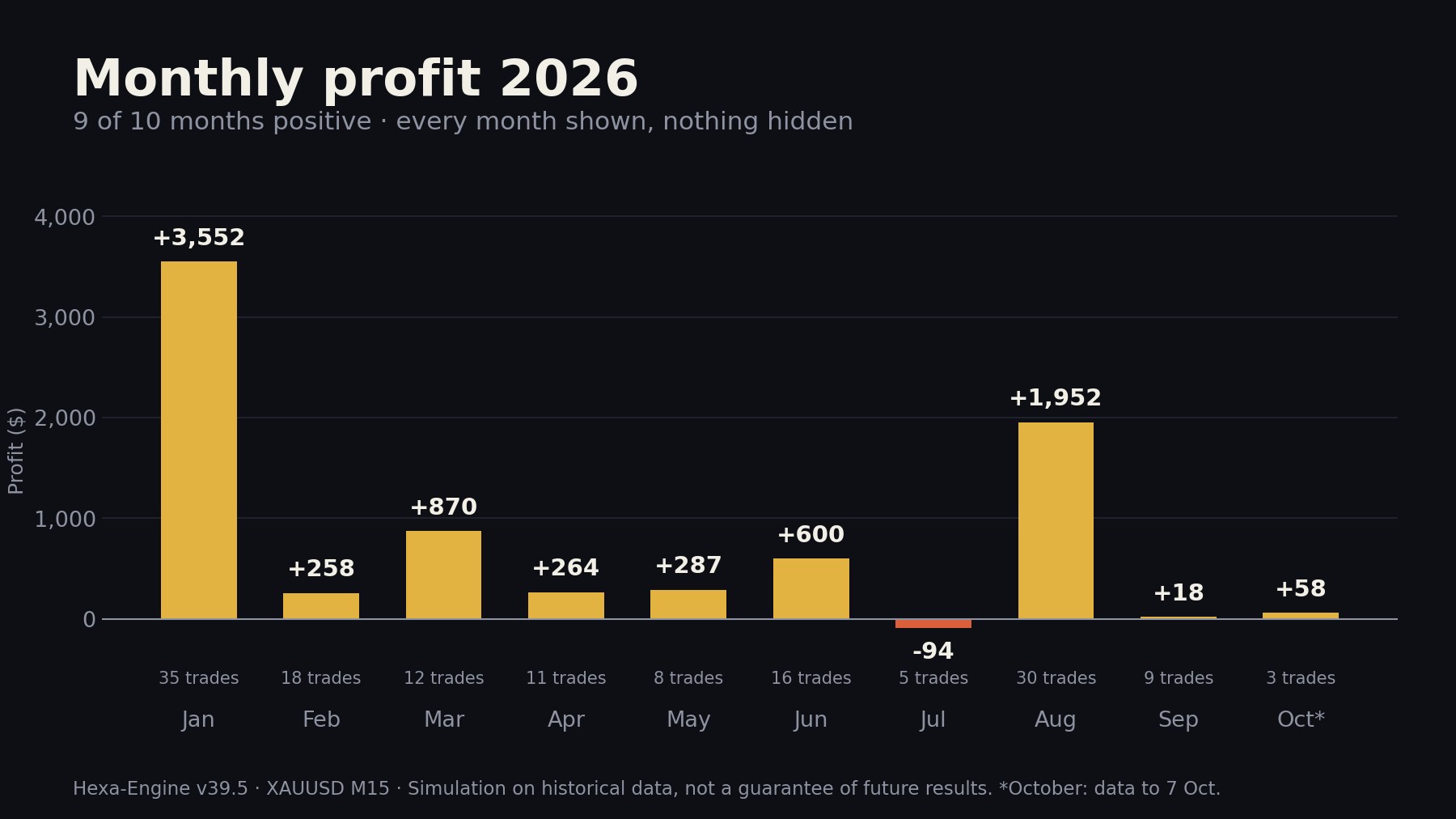
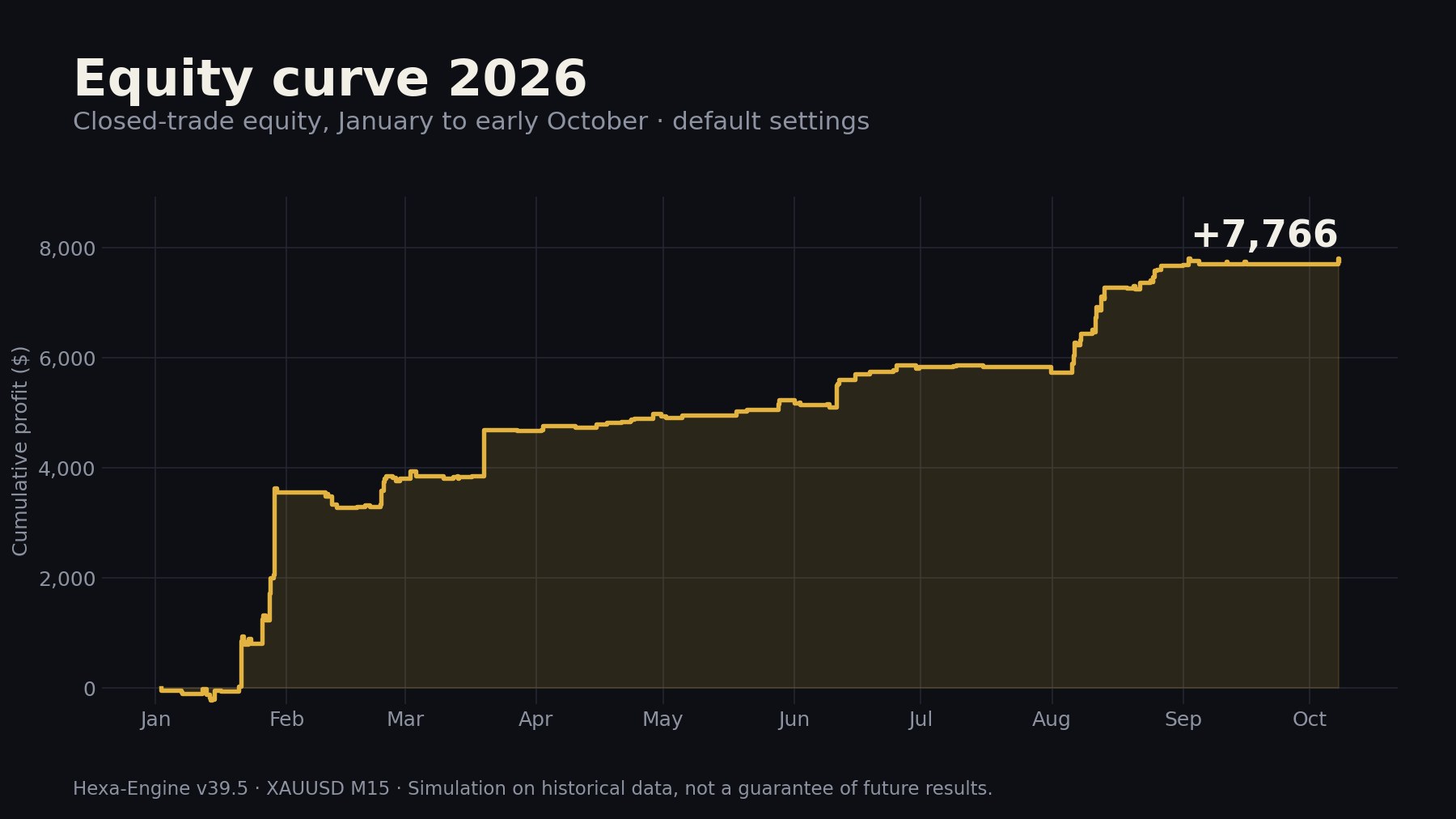
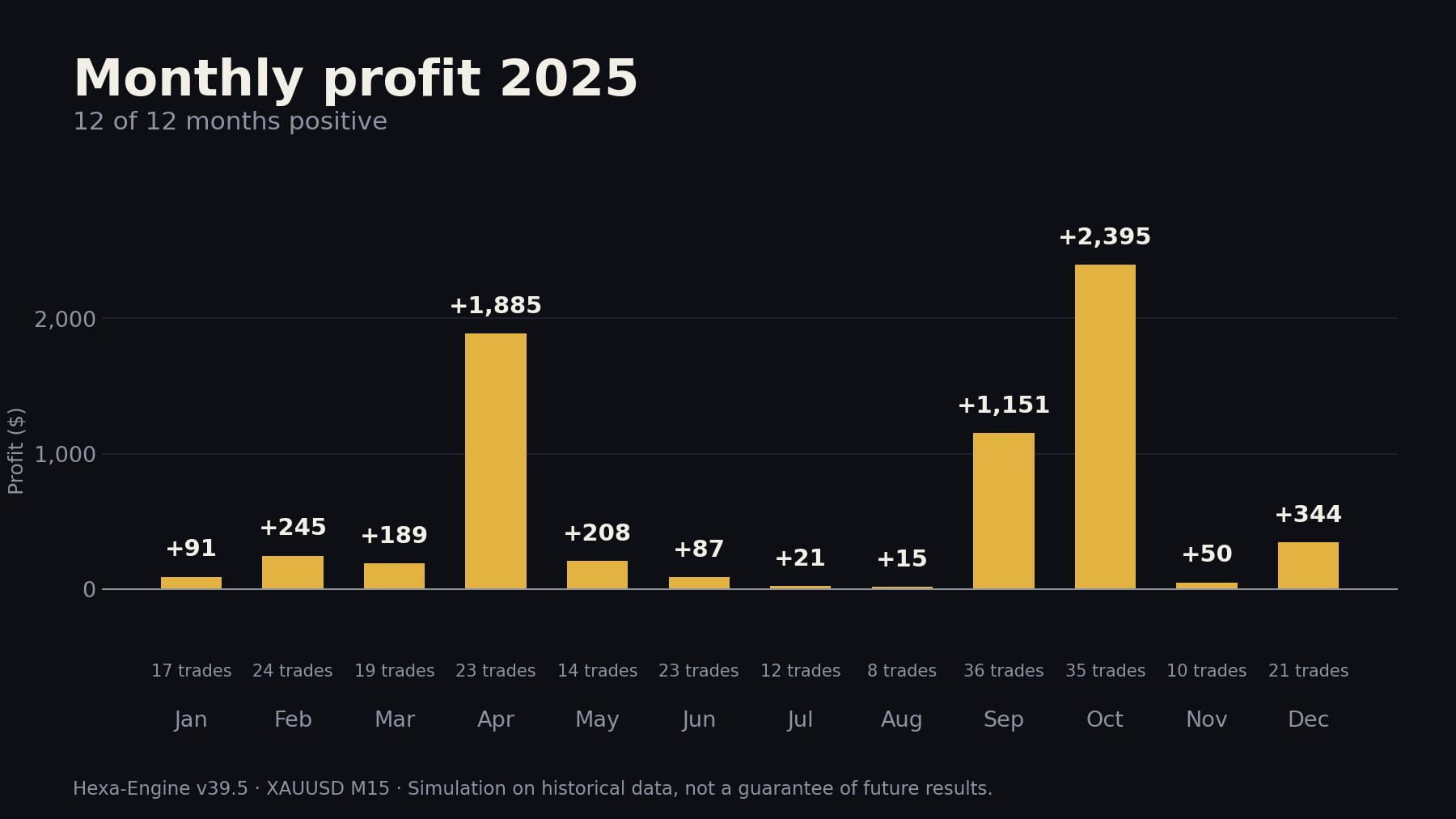
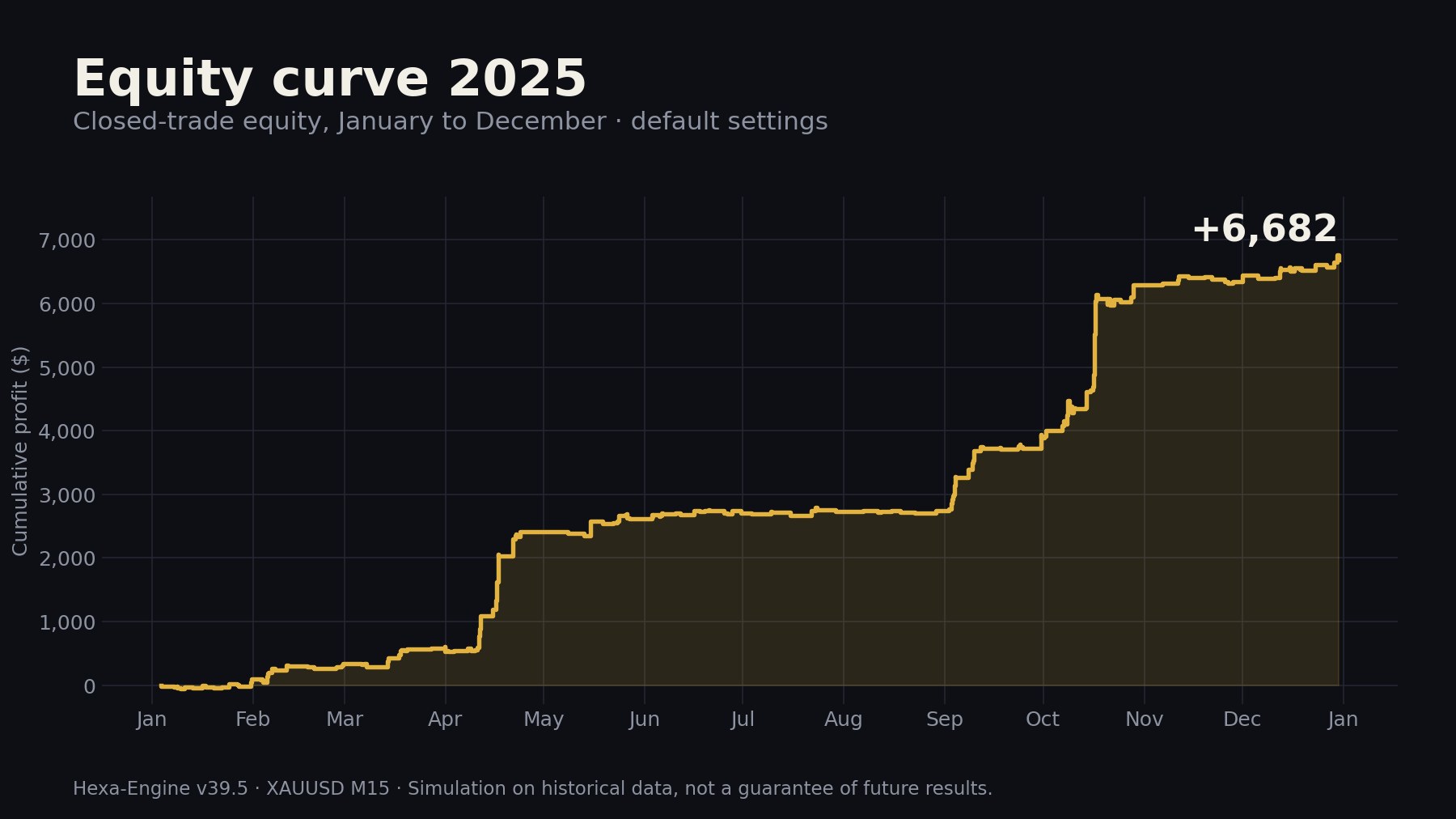
Every month is shown, including the losing one. These charts come from our historical simulation of the same rules, so the totals differ slightly from the MT4 tester.
What you need
- Platform
- MetaTrader 4
- Symbol and timeframe
- XAUUSD, M15
- Account
- Hedging, low spread
- Suggested deposit
- From about 1,000
- Default lot
- 0.01 per module
- Running time
- 24/5 on a VPS
Install
Copy the EA file into the MQL4/Experts folder and restart MetaTrader 4.
Attach
Drag Hexa-Engine onto an XAUUSD M15 chart and allow algorithmic trading.
Run on demo first
Keep the default settings, watch it for a few weeks on demo, then decide on lot size for live.
Get Hexa-Engine v39.5
One-time payment.
- Hexa-Engine EA file for MT4
- Tested default settings
- Installation and setup guide
- E-mail support
Secure checkout. You receive the download link by e-mail right after payment.
Also available on the MQL5 Market.
Questions
Does it use martingale or grid?
No. Every trade opens with a fixed stop loss and lot size. The EA never adds to a losing position.
Do I need to optimise the settings?
No. The default values are the tested configuration. You only choose the lot size.
Can I use it on other symbols?
It is built and tested for XAUUSD on M15 only.
How many trades can be open at once?
At most one per module. Most of the time only a few are open, but make sure your margin allows for more at your chosen lot size.
Does it work with prop firm accounts?
It runs on any MT4 account that allows Expert Advisors. Check your firm's rules on EAs, news trading and holding positions before you start.
Will I get the same results as the backtest?
Not exactly. Spread, execution, broker data and time zone all change results. Past performance does not guarantee future results, which is why we ask you to test on demo first.
How do I receive the EA?
After payment you get an e-mail with the download link and the setup guide.